
Keeping a Personal Vehicle Maintenance Log
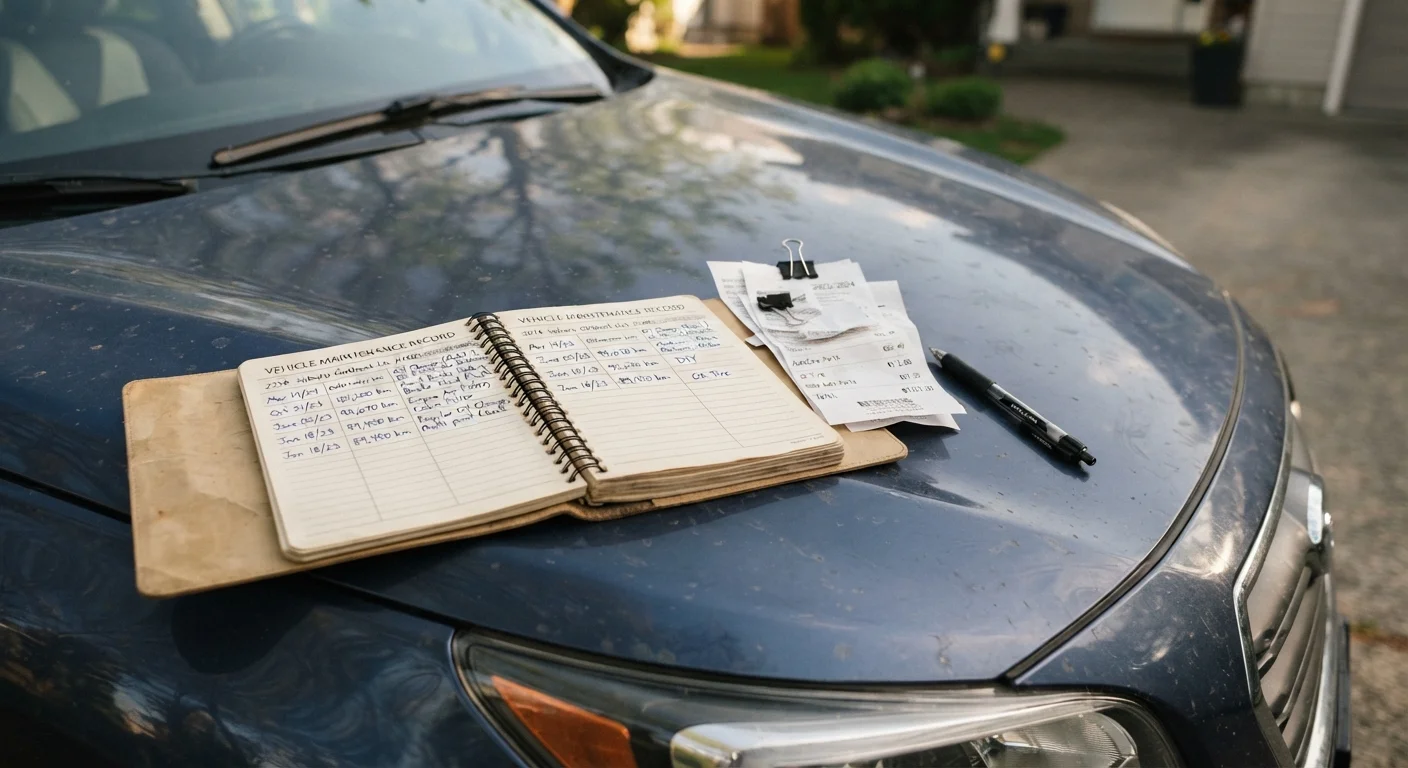
Photo credit: QuickInsights.net
A consistent service record protects resale value and helps mechanics diagnose problems faster. Here's what to track and how to organize it.
Key Takeaways
- A maintenance log documents every service event, making it easier to stay on schedule and catch recurring problems.
- Complete service records can meaningfully support resale value by demonstrating responsible ownership to buyers.
- Tracking both date and mileage for each entry creates a more reliable picture than either data point alone.
- Digital apps and simple paper notebooks both work - consistency matters more than the format you choose.
- Receipts and mechanic notes stored alongside the log provide third-party verification buyers and insurers may request.
Why a Maintenance Log Is Worth the Effort
Most drivers know they should keep up with oil changes and tire rotations, but far fewer keep a written record of when those services actually happened. That gap matters more than it might seem. A maintenance log does three things a memory alone cannot: it creates an objective timeline mechanics can reference, it documents the vehicle's care history for future buyers, and it surfaces patterns - like a part that keeps failing - that might otherwise go unnoticed.
When you bring a car in for a problem, a complete service history helps a mechanic rule out causes quickly and focus on likely culprits. Without it, they're starting from scratch. On the resale side, a documented log signals to buyers that the vehicle was maintained responsibly - a credibility advantage that can support your asking price and shorten the negotiation. For broader context on what long-term ownership actually involves, see everything involved in long-term car ownership.
Photograph Your Receipts Right Away
Thermal paper receipts from service shops fade within a year or two. Snap a photo of every receipt immediately and store it in a dedicated folder - cloud-based storage works well - so you have a legible backup even if the paper copy deteriorates.
If your vehicle is approaching or past the 100,000-mile mark, a thorough log becomes even more important. High-mileage vehicle ownership brings distinct maintenance considerations that are much easier to manage with a complete record in hand.
What to Track and How to Start
The setup takes less than 30 minutes, and the ongoing maintenance is measured in minutes per service visit. Here's what you'll need before your first entry:
What you will need
Once you have those in hand, follow the steps below to build a log that will serve you for the life of the vehicle.
Choose your format
Decide whether you'll maintain a physical log or a digital one. A simple ruled notebook or a dedicated section in a binder works fine. If you prefer digital, look for an app designed for vehicle maintenance - most allow you to log service events, set reminders by mileage or date, and attach receipt photos. Either format is valid; what matters is that you'll actually use it consistently.
Record your vehicle's baseline information
Create a header section at the front of your log with the vehicle's year, make, model, trim level, engine size, VIN (Vehicle Identification Number), and the odometer reading on the date you start the log. This baseline anchors everything that follows and helps anyone reviewing the record - a mechanic, a buyer, or your insurer - understand the vehicle's context immediately.
Set up a consistent entry format
Each service entry should capture at minimum: the date, current odometer reading, type of service performed, name of the shop or technician (or "self" for DIY work), parts or fluids used, and total cost. Consistent columns make it faster to scan the log later and easier to spot when a service is overdue. If you're using a notebook, draw a simple table. Most apps handle this structure for you automatically.
Log every service event, including minor ones
Record every intervention: oil changes, tire rotations, air filter replacements, brake inspections, fluid top-offs, battery replacements, and any repair work. Minor entries are easy to skip but often become relevant later. A pattern of repeated top-offs of the same fluid, for instance, can signal a slow leak that a mechanic can investigate before it becomes a larger problem. See habits that extend vehicle life for related context on proactive upkeep.
Attach or file supporting documents
Store receipts, inspection reports, and any written notes from mechanics alongside your log entries. For a physical log, an accordion folder or an envelope taped to the inside cover works well. For a digital log, attach scanned or photographed copies to each entry. These documents serve as third-party verification - useful when a buyer questions whether a major service was actually performed.
Review and update the log at every service visit
Make adding an entry a non-negotiable part of every service visit - before you leave the shop or within 24 hours of completing DIY work. Letting entries pile up leads to missing details and inaccurate mileage figures. A quick review of recent entries before each visit also lets you flag any concerns for the mechanic, such as a fluid that keeps running low. For a structured view of what your car's service schedule actually covers, see your car's maintenance schedule, explained.
Don't Skip the Mileage Column
Date alone doesn't tell the full story. Many service intervals - oil changes, tire rotations, transmission fluid - are triggered by mileage, not calendar time. Recording odometer readings at every entry is what turns a basic diary into a genuinely useful maintenance timeline.
If a service event ever reveals a problem beyond routine maintenance - something your log flags as recurring or worsening - knowing when to call a professional is an important companion to the habits you're building here.

Author
Autos & Vehicles Editorial Team
Autos & Vehicles Editorial Team is the collective byline for our editorial team and contributor network. Articles published under this byline or an editorial pen name are researched, written, and reviewed according to our editorial standards for clarity, consistency, and independence before publication.
View all articles →